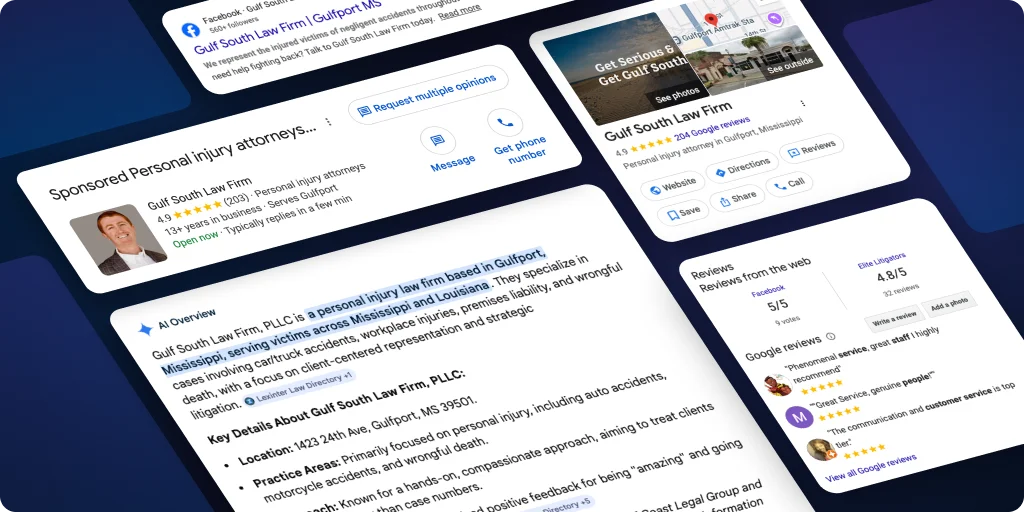
Introducing Businesses in ChatGPT
This week, ChatGPT introduced Businesses in ChatGPT, giving you the ability to claim your business within their platform. This is similar in concept to Google Business Profiles, but it is important to note this is in beta, so details may change. Accurate, consistent information across the web is vital, so we encourage everyone to claim their business. As it stands now, claiming your business does not seem to have an impact on your visibility, but it will give you insights into how your business is performing.
In order to claim your business, ChatGPT created Business Hub, OpenAI's new tool for claiming and managing your business. Once you're verified, you can update your business details, see how often ChatGPT mentions your business and sends people to your website, and get a blue check showing your profile is claimed.
Before you begin, have these ready
- A ChatGPT account your company controls, preferably under an email address that matches your website domain.
- A way to show you can make decisions on behalf of the business. You'll use one of these: the business phone number on your listing, a business email address, or access to your website's DNS settings.
- Your official business name, address, and any registration or tax number, exactly as they appear in your business records. You may also be asked for your Employer Identification Number (EIN).
- A government-issued ID. You may be asked to confirm you're authorized to represent the business.
Step-by-step: claim and verify your business
- Open Business Hub. Go to chatgpt.com/business-hub, or sign in to ChatGPT and select Business Hub in the sidebar.
- Find your business. Search by name and select the listing that matches. Search before you try to add anything, so you don't create a duplicate. If you can't find your listing, you may see an option to add it.
- Prove you control the business. Pick one of the methods ChatGPT offers and follow the prompts associated:
- Business phone: choose a text or automated call, then enter the code.
- Business email: enter the code sent to the address associated with your business.
- Website domain: add the DNS record ChatGPT shows you, copied exactly, then select Verify domain. DNS changes can take time, so send the exact record to whoever manages your domain.
- Wait for OpenAI's review. OpenAI will email you a decision or ask for more information. No timeline is currently available, but you can cancel the claim while it's under review.
- Complete the identity check. After approval, you will need to verify with Persona and follow the prompts. Claiming your business alone doesn’t give its profile a verified badge.
- Confirm you're verified. Once both approvals come through, your profile shows a blue check, and you can edit your details and view insights.
After you're approved
Complete your profile. Review and update your website, business description, category, logo, and cover photo. OpenAI reviews changes before publishing them, so they may take time to appear. Ensure your details are consistent, as details across your website, Google Business Profile, and directory listings should match for services, locations, hours, and contact information.
What you'll see in insights. Business Hub shows the past 28 days of mentions, website clicks, grouped discovery topics, and profile views. Data appears only after activity passes a threshold OpenAI hasn’t disclosed, so keep in mind that a blank metric doesn't necessarily mean zero. You won't see the individual prompts or conversations behind the numbers.
If you run into any issues
- Can't find your business. Check the spelling and any former business names. Eligible online businesses may see an option to add a listing. Local stores and restaurants can only claim existing US listings.
- Someone else already claimed it. Open the profile, select the ••• menu, choose Dispute ownership, and verify that you're authorized.
- You see "Contact support" instead of a claim option. The listing is locked. Select Contact support to request access.
- The DNS check won't verify. Confirm the record was copied exactly as shown, then give it time to update.
- Your identity check was rejected. Follow the instructions in OpenAI's email and resubmit with a business name, address, and registration or tax number that match your official records.
- Approved, but features are still locked. Contact OpenAI Support with the step you were on, any error message, and a screenshot with sensitive details removed.
- ChatGPT still shows wrong information. Fix your profile first, then correct any other sources that disagree with it. For a single wrong answer, use the thumbs-down button under the response.
If you can't claim yet
Please keep in mind that if you cannot claim yet, it does not mean you won’t be visible on ChatGPT. Even without a claimed profile, ChatGPT will still draw on your website and other online sources as it currently does today, so it's important the following are in place:
- Make your details consistent. Your website, Google Business Profile, and directory listings should agree on your services, locations, hours, and contact information.
- Check crawler access. OpenAI says sites that block its search crawler, OAI-SearchBot, won't appear in ChatGPT search answers. Ask whoever manages your website to confirm it isn't blocked.
- Answer real customer questions. Make sure your website clearly explains what you do, where you work, and why customers should choose you.
For clients using Scorpion’s listings service, we push business details through Yext, which distributes updates across its network of more than 200 directories, maps, and review sites, including Bing, Apple Maps, and Yelp.
Need help?
Scorpion is staying on top of this rollout and what it means for visibility in ChatGPT. If you'd like a hand with any step, or want help getting your website and listings ready, your team at Scorpion is here.